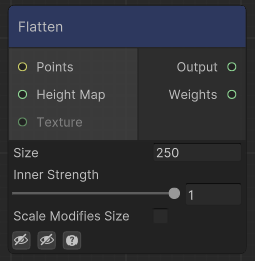
Flattens the input height map around the input points.
If a texture is assigned, it will use that as a mask for where to flatten. The texture should be a normalized height map (from 0 to 1). Otherwise, a circle of Size per radius will be used to define where to flatten. Use Inner Strength to smoothen the transition of that circle.
- Size: If a texture is assigned, size will be the size of the data to get from the texture. For that reason, if using Shapes or Texture nodes, it is recommended to match (or be slightly bigger) than the maximum size. Anything outside of the size will not be taken into account. The sampling of the texture will also occur at world units (0,0), use Move Origin in case you want to change the position of the textures.
- Texture Mode: Sampling mode used for the assigned texture.
- Apply Texture on Falloff: Whether the texture also affects the flattening falloff.
- Scale Modifies Size: Should Size be affected by the scale of the point? If a texture is assigned, it will also modify the size of the texture.