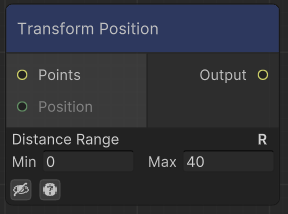
Transforms the position of points to the assigned range
Examples
Desert Pyramids
Recipe
Notes
To place different pyramid-like structures, we start by creating a grid of points and randomly positioning them. We use the Transform Position Node to randomize their position, rotation, and scale.
At each of these points, we create a pyramid using the Shape Node and spawn it with the Stamp Node. By ticking the required boxes, we ensure that the sampled shape follows the points data correctly.
Next, we apply some stepping to the pyramids to add texture, making them look more like layered cubes.
We then combine the pyramids with basic noise to give them a less uniform look, as though there’s sand on top of each layer.
Finally, we blend these pyramids with some Simplex Noise to achieve the final terrain.

Node system

Result